Making a high-current bench-power supply utilizing ARTESYN NXA66 regulator module
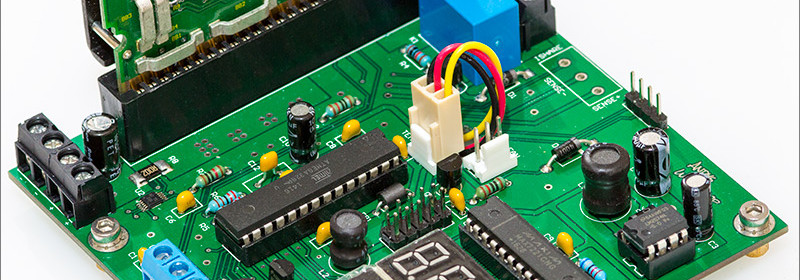
Andy Brown explored reverse engineering the ARTESYN NXA66 regulator module to build a cost-effective bench-power supply with high current supply capability. NXA66 is a non-isolated dc-dc converter targeted at computing applications that require precise voltage and fast transient requirements of today’s high performance applications such as workstations, file servers, desktop computers, telecommunications equipment, adapter cards, DSP and data processing. He designed an Atmega328 driven controller board that would host the NXA66 and expose its functionality via a front panel consisting of seven segment display modules. I’ve included a relay between the 12V input and the NXA66 because I don’t want the

Read more
ZeroPhone: A Pi-powered DIY mobile phone

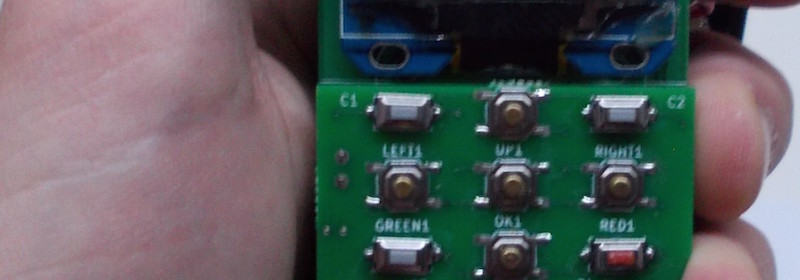
We have seen Arduino-powered cellphones before. Arsenijs introduces ZeroPhone– a Raspberry Pi Zero powered DIY mobile phone that costs less than $50 in parts. It is mostly open-source and linux-powered. It supports voice calls, texting, and basic apps like alarm clock, calendar, calculator, web browser, music player, etc. Features: Calling and SMS – this is the first functionality to be implemented, and will be considered crucial in the development. All the basic apps – alarm clock, calendar, calculator, phonebook, file browser, web browser and music player. Your own apps – SDK will be provided and it will be developer-friendly. The laand I’ll

Read more

Tutorial 2: EasyESP-1 “Hello World” Example

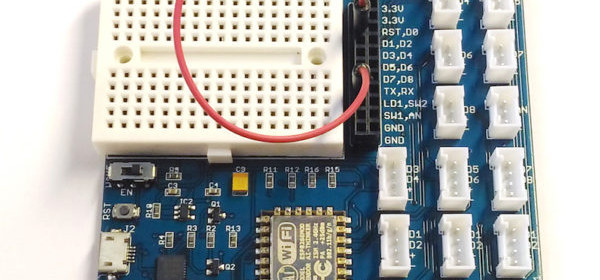
After setting up the Arduino IDE to enable support for ESP8266, it’s time to write your first code for EasyESP-1 board. We will start with the classic hello world! example of electronics, a flashing LED. This is the best example to start with any new hardware platform as it gives us an opportunity to verify that the required software tools/drivers are installed properly and ready to rock. Hardware Setup In this example, we will connect the LD1 and D1 pins of J3 header together with a jumper wire as shown below. This will connect the LD1 LED near the bottom right corner of

Read more

Tutorial 1: Setting up the Arduino IDE for EasyESP-1

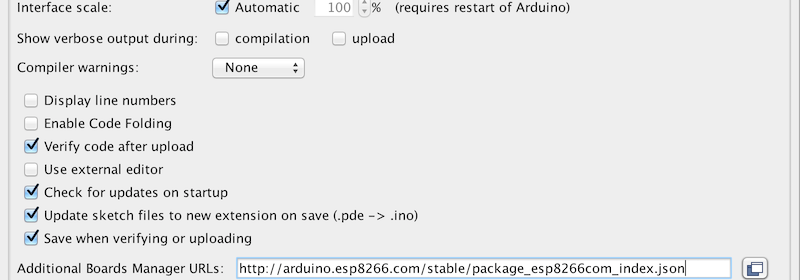
One of the simplest way to program the ESP8266 chip on board EasyESP-1 is using the Arduino IDE. Following steps describe how to enable the ESP8266 support in the Arduino environment. Step 1 : Install Arduino IDE The first step toward setting up the Arduino platform for programming EasyESP-1 is to download and install the Arduino IDE. Go to the Arduino website and download Arduino IDE 1.6.11. Step 2: Install ESP8266 core package Next step is to install the ESP8266 core for Arduino IDE. It is an add-on that allows to write sketches for ESP8266 using the Arduino IDE  and its libraries. The easiest way

Read more
« Older Entries Recent Entries »